Bulk Background Removal Tool Powered by BG-REMOVE API
Bulk Image Background Removal for Teams and Developers
Remove backgrounds from large image sets without repetitive editing. PixLab's browser-based bulk remover is powered by the BG-REMOVE API endpoint →, so teams can test the workflow visually and developers can automate the same background removal pipeline in scripts, internal tools, and production apps.
Launch Background Removal Tool Now ↗Effortless Batch Background Removal at Scale
Use PixLab's batch background removal tool ↗ to process product photos, catalog images, portraits, and design assets in one pass. Run bulk background removal in seconds, then move to the BG-REMOVE API when you need the same workflow in code.
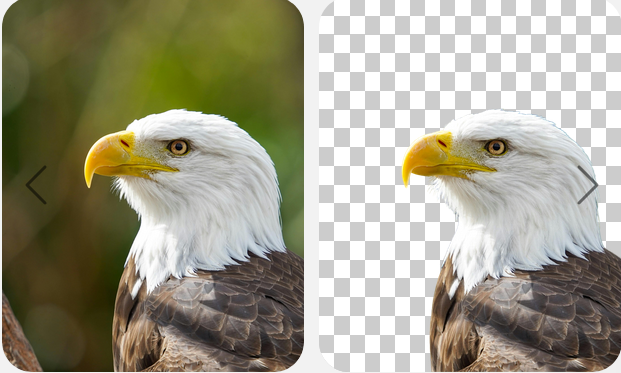
Original

Background Removed

Bulk Removal

Bulk Background Removal in Seconds
Clean up multiple images in one run with PixLab's bulk remover ↗. Ideal for product shots, staff photos, marketplace listings, and campaign assets that need fast, consistent output.
The Practical Way to Clean Up Image Batches
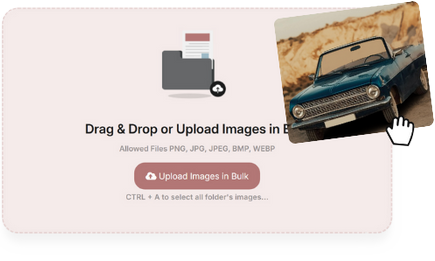
- Skip one-by-one edits with PixLab's bulk background removal tool ↗. Upload a batch, run background removal once, and download clean outputs in seconds.
- Get more consistent results across product catalogs, marketing assets, portraits, and user-generated content without rebuilding the workflow for each job.
- Use the browser tool for quick jobs, then move to the BG-REMOVE API when you need the same process inside your own application or automation pipeline.

Built for Speed, Clean Edges, and Production Use
- Move quickly without sacrificing output quality. PixLab's bulk background removal tool ↗ is tuned for clean edges, smooth cutouts, and repeatable results across large batches.
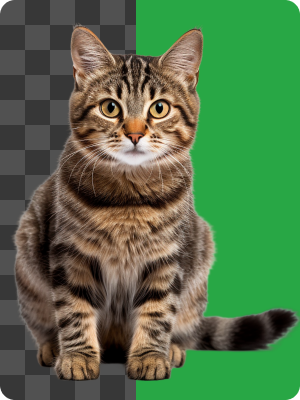
- Generate transparent PNGs or ready-to-use assets for storefronts, ads, internal tools, and creative workflows. Run a batch and review the output ↗
- The same engine powers both the online tool and the BG-REMOVE API, which makes it easy to validate the workflow in the browser before integrating it in code.
Easy for Teams, Ready for Developers
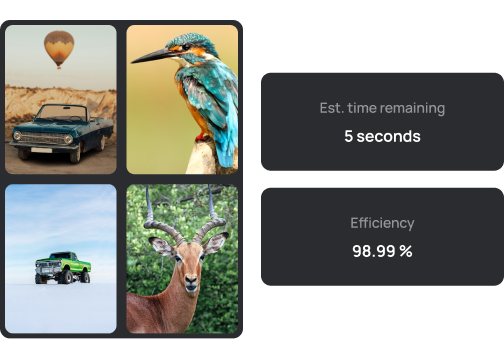
- No setup is required to get started. Drag in your images, run a batch, and download the results from the browser in a few clicks.
- Process hundreds of images in one session ↗, then switch to the BG-REMOVE API for scheduled jobs, upload flows, or custom back-office tooling.
- Choose transparent output or a solid-color replacement background, and download the results in formats like PNG or JPG.
Automate Bulk Background Removal with the BG-REMOVE API
The online bulk remover is powered by the BG-REMOVE API endpoint →, so you can prototype visually and automate the same workflow in code.
Use it for e-commerce pipelines, DAM workflows, creative apps, batch uploads, and internal tools that need reliable image background removal at scale.
Powered by a Single API Endpoint
- Production-Ready Results: Remove backgrounds from product photos, portraits, and design assets with clean cutouts and developer-friendly integration. Explore Documentation →
- Flexible Input and Output: Send common formats such as JPEG, PNG, and BMP, then return transparent or customized outputs for your workflow. Get Your API Key & Try BG-REMOVE ↗
- One Workflow, Two Interfaces: The browser tool and the BG-REMOVE API run on the same background removal engine, so you can validate visually first and then automate at scale.
import requests
# Python Code Sample
# Background Removal Using the BG-REMOVE API Endpoint
req = requests.get("https://api.pixlab.io/bgremove", params={
    "img": "https://example.com/sample-image.jpg",  # Image URL
    "key": "YOUR_PIXLAB_API_KEY"
})
# Switch to POST if you want to upload your image directly
reply = req.json()
if reply['status'] != 200:
    print("Error:", reply['error'])
else:
    print("Background Removed Image URL:", reply['link'])
Frequently Asked Questions
Answers about the bulk tool, supported formats, and the BG-REMOVE API.
What is the maximum batch processing capacity per upload?
The online tool supports up to 1500 images per batch, with a maximum file size of 100MB per image. For larger, scheduled, or application-driven workloads, use the BG-REMOVE API endpoint to run your own batching, chunked uploads, and concurrent processing. Try it now ↗
Which image formats and resolutions are supported?
PixLab supports common image formats including JPEG, PNG, TIFF, WebP, and BMP, with resolutions up to 8K. Output options include PNG with transparency or JPEG with a replacement background, both in the browser tool and through the BG-REMOVE API. Try Now ↗
How accurate is the AI for complex details like hair or transparent objects?
PixLab is tuned for fine details such as hair, glass, packaging edges, and semi-transparent elements, which helps teams get cleaner cutouts for both background and object removal. See it in action ↗
Is there an API available for developers?
Yes. The browser tool is powered by the same REST endpoint documented in the BG-REMOVE API reference. Developers can use the API, examples, and PixLab API Portal to integrate background removal into upload flows, internal tools, and production services.
Need the fastest way to remove backgrounds in bulk?
Use the online tool when you need immediate results, or move straight to the BG-REMOVE API when you need repeatable background removal inside your own workflow. Ideal for e-commerce catalogs, marketing teams, studios, and developer-built media pipelines.
Try Bulk Background Removal Now